

How to Care for Your IQOS ILUMA i Prime: Cleaning, Charging and Storage Guide for Dubai & the UAE

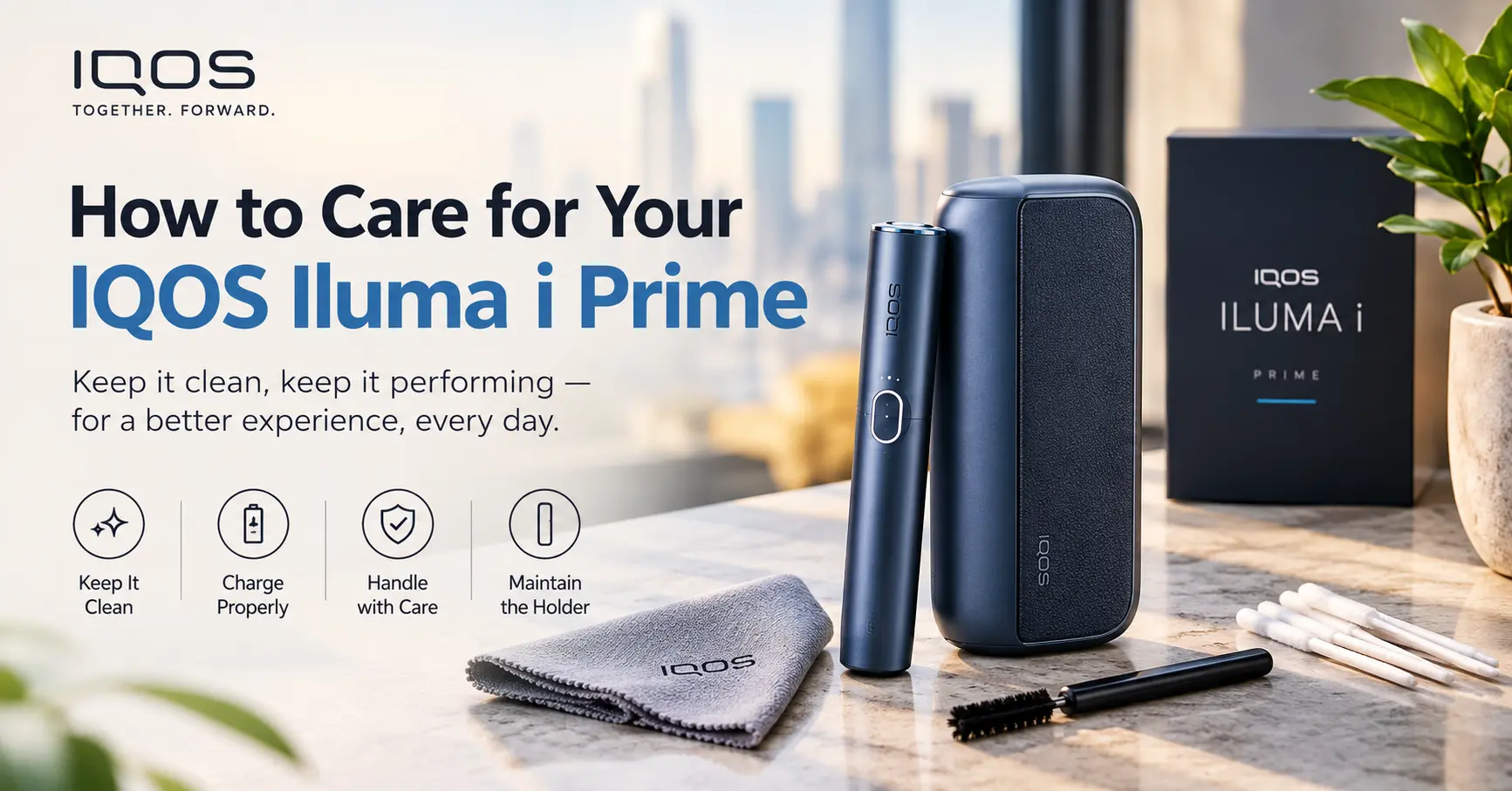
How to Care for Your IQOS Iluma i Prime?
To care for your IQOS ILUMA i Prime, keep the device dry, wipe the exterior and stick opening gently with a soft dry cloth, charge it with the correct USB-C cable and a quality adapter, and store it away from heat, moisture and pocket debris. Because the ILUMA system is blade-free, you do not need to clean a heating blade the way you did with older IQOS models. Your main jobs are light surface cleaning, smart charging, careful storage and using only genuine TEREA sticks.
The 5 core habits at a glance:
- Wipe the exterior and the stick opening regularly with a soft, dry cloth.
- Never force a TEREA stick in, and never use HEETS or any other stick.
- Charge with a proper USB-C cable and avoid extreme heat while charging.
- Store the device in its case, away from sunlight, water and loose items.
- Check the official user guide before trying any repair or reset yourself.
Shop IQOS ILUMA i Prime in Dubai →
Why Caring for Your ILUMA i Prime Matters
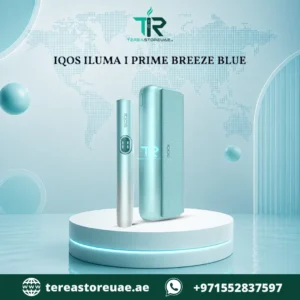
The IQOS ILUMA i Prime is the premium model of the ILUMA family. It uses the SMARTCORE INDUCTION SYSTEM™, a fabric-wrapped finish, an auto-start function and fast USB-C charging. It is a precision electronic device, and like a smartphone or a watch, it lasts longer and performs better when you look after it.
Good care gives you four practical benefits:
- Consistent performance. A clean stick opening and a healthy battery mean the device detects each TEREA stick properly and heats it evenly.
- A longer device life. Most ILUMA problems that reach customer support come from moisture, heat, drops or forced sticks, all of which are avoidable.
- A better-looking device. The i Prime is a design-led product. Its premium cover and finish stay attractive when you protect them from scratches, oils and sun.
- A cleaner, fresher experience. A device that is wiped regularly and stored well stays free of lint, crumbs and odours.
In Dubai and across the UAE, heat and fine desert dust add extra challenges. A device left on a car dashboard in July or carried loose in a sandy bag will age faster than one kept in a case. The routines below are built with UAE conditions in mind.
Shop IQOS ILUMA i Prime in Dubai →
Understanding Your IQOS ILUMA i Prime Before You Clean It
Knowing how the device works makes it obvious what to clean and what to leave alone.
Induction heating means no blade to clean
Older IQOS models used a heating blade that pushed into the tobacco plug. That blade collected residue and needed regular cleaning with a brush or cleaning stick. The ILUMA range works differently. The heating element is built into each TEREA stick, and the device heats it by induction. As the store’s own product information explains, this gives a bladeless design with lower maintenance, less residue buildup and a cleaner overall experience.
This is the single most important point in any ILUMA care routine: you are not scrubbing a blade. You are keeping a sealed, electronic device clean, dry and charged.
Shop IQOS ILUMA i Prime in Dubai →
The parts of the device that matter for care
While the exact design can vary by edition, the main care points on an ILUMA i Prime are:
- The stick opening (holder). This is where the TEREA stick goes in. It is the area most likely to collect small crumbs or lint.
- The cap and magnetic closure. The magnetic parts should stay free of metal dust and debris so they close properly.
- The outer cover. The i Prime features a premium wrapped finish, so it needs gentler handling than a smooth plastic body.
- The USB-C port. This is where dust, lint and moisture can interfere with charging.
- The battery. Internal and sealed. You care for it through how you charge and store the device, not by opening it.
A note on official guidance
Care steps in this article are general best practices for ILUMA-style heated tobacco devices. TEREA Store UAE operates independently and is not affiliated with the manufacturer. For model-specific instructions, reset procedures and warranty rules, always check the official user guide supplied in your device box.
Shop IQOS ILUMA i Prime in Dubai →
Daily Care Routine for Your ILUMA i Prime
You do not need a complicated routine. A few small habits, repeated daily, prevent nearly every common issue.
Step 1: Check the stick opening before use
Before inserting a TEREA stick, take a quick look at the opening. If you see crumbs, lint or any foreign object, remove it gently with a clean dry cotton swab or a soft, dry cloth. Never use a pin, needle or metal tool.
Step 2: Insert the TEREA stick gently
Place the TEREA stick into the holder with the correct end facing the right way and push it in gently until it reaches the marked position. Do not twist hard or force it. If it does not slide in easily, take it out and check that the stick is undamaged and is a genuine TEREA stick.
Step 3: Remove the used stick promptly
Once your session ends, remove the used stick and dispose of it responsibly. Leaving a used stick in the holder for long periods can leave moisture and tobacco odour inside the opening.
Step 4: Wipe the exterior
Give the device a quick wipe with a soft, dry microfibre cloth once a day, or whenever it feels greasy or dusty. This removes hand oils, sunscreen, lotion and everyday dirt from the cover.
Step 5: Put it back in its case or on charge
Do not leave the device on a table, in a bag pocket with keys or on a car seat. Return it to its case, or place it on a proper charge if the battery is low.
Browse the IQOS ILUMA Collection →
Shop IQOS ILUMA i Prime in Dubai →
How to Clean Your IQOS ILUMA i Prime Safely
Cleaning an ILUMA is simpler than cleaning older IQOS models, but a few rules apply.
What you will need
- A soft, dry microfibre cloth
- A few clean, dry cotton swabs
- A very lightly dampened cloth (water only) for stubborn marks on the exterior
- Good light so you can see small debris
How to clean the stick opening
- Make sure no stick is inserted and the device is not charging.
- Look inside the opening with a torch or phone light.
- Use a dry cotton swab to lift any loose crumbs or lint. Turn the swab gently; do not press hard.
- Replace the swab if it picks up dirt, and repeat until it comes away clean.
- Leave the device open for a minute to make sure the opening is fully dry.
Shop IQOS ILUMA i Prime in Dubai →
How to clean the outer cover
- Wipe with a soft, dry microfibre cloth first.
- For a stubborn mark, slightly dampen a corner of the cloth with plain water, wring it out completely and wipe lightly. Dry immediately with another cloth.
- Wipe in one direction rather than scrubbing in circles. This protects fabric-style finishes from fraying or pilling.
- Allow the device to air-dry fully before charging or using it.
Shop IQOS ILUMA i Prime in Dubai →
How to clean the USB-C port
Dust and lint inside the charging port are a leading cause of slow or intermittent charging. With the device unplugged, use a dry, soft-bristled brush or a short burst of gentle air to loosen debris. Do not insert metal objects such as pins or paperclips, as they can damage the contacts.
What you should never do
- Never submerge the device in water or run it under a tap.
- Never spray liquid cleaner, disinfectant or perfume directly onto the device.
- Never use harsh chemicals, bleach, acetone or strong solvents. They can damage the finish and internal seals.
- Never use a hairdryer, oven or heater to dry the device. Heat can harm the battery.
- Never use sharp objects inside the opening.
- Never open the casing or try to remove the battery.
Shop IQOS ILUMA i Prime in Dubai →
How often should you clean it?
| Task | How often |
|---|---|
| Wipe exterior with dry cloth | Daily |
| Check and clear stick opening | Daily or every few uses |
| Light damp-wipe of cover (if marked) | Weekly or as needed |
| Clear USB-C port | Every two to four weeks, or when charging becomes unreliable |
| Clean the case or pouch | Weekly |
Charging Your ILUMA i Prime the Right Way
Battery health is where most long-term wear happens. The ILUMA i Prime supports fast USB-C charging, but fast charging still works best when you follow a few simple habits.
Use the right cable and adapter
- Use the USB-C cable that came with your device or a high-quality cable from a reputable brand.
- Pair it with a good-quality wall adapter, ideally a recognised brand with proper safety certification.
- Avoid very cheap, unbranded chargers sold at market stalls. Poor voltage control can stress the battery.
Shop IQOS ILUMA i Prime in Dubai →
Charge in a cool, dry, stable place
Dubai summers can push indoor and in-car temperatures to levels that are hard on lithium batteries. When charging:
- Keep the device out of direct sunlight.
- Do not charge on a bed, sofa or under a pillow, where heat cannot escape.
- Do not charge inside a parked car.
- Place it on a hard, flat, ventilated surface.
Shop IQOS ILUMA i Prime in Dubai →
Avoid draining the battery to zero every time
Most modern lithium-ion batteries prefer partial top-ups to constant full drains. Charge when you notice the battery getting low rather than running it flat every day. A full charge before your first use is still recommended.
Do not leave it plugged in endlessly
Overnight charging occasionally is fine on a quality charger, but making it a long-term habit keeps the battery warm and under constant stress. Unplug once the device indicates a full charge.
Shop IQOS ILUMA i Prime in Dubai →
Warning signs during charging
Stop charging and contact the retailer or manufacturer support if you notice any of the following:
- The device becomes unusually hot
- A swollen or distorted casing
- A burning or chemical smell
- Repeated charging failures even with a different cable and adapter
Do not use a device that shows signs of battery swelling or overheating.
View IQOS ILUMA i Prime Colours & Prices →
Battery Care Tips for Everyday Use
Even with excellent charging habits, the way you use and carry your device affects battery performance.
- Avoid extreme cold and heat. Do not leave the device in a hot car, near an oven, or in cold storage. Normal room temperature is best.
- Do not drop it. Impact can damage the internal battery connectors even if the exterior looks fine.
- Keep it dry. Humidity, sweat and water can corrode internal contacts over time.
- Do not use it while charging unless the manual allows it. Using and charging together adds heat.
- Update your routine for heavy use. If you use the device many times a day, keep it near a charger and top it up regularly, rather than waiting for it to die.
Shop IQOS ILUMA i Prime in Dubai →
Storage and Carrying: Protecting the Premium Finish
The i Prime is sold as a premium device, so protecting its look is part of proper care.
Use the supplied case
The magnetic storage case helps secure the device and shields the cover from scratches. Always return the device to the case after use. Keep the case closed to stop dust and sand from getting in.
Keep it away from keys, coins and sharp items
Loose keys and coins scratch the finish and can press into the stick opening. Use a separate pocket or compartment.
Avoid sunscreen and perfume contact
Oils, perfume and sunscreen can stain or discolour fabric-style and coloured finishes. If your hands are oily, wipe them before handling the device.
Shop IQOS ILUMA i Prime in Dubai →
Beach, pool and desert trips
- Carry the device in a sealed pouch or small zip bag.
- Keep it out of direct sun, even in a bag on a beach towel.
- Shake out sand from the case before opening it.
- Never use the device with wet hands or wet from the pool.
Long-term storage
If you will not use the device for several weeks, charge it to a moderate level, wipe it clean, make sure it is completely dry, and store it in a cool, dry place inside its case. Check and top up the battery every month or two.
Shop IQOS ILUMA i Prime in Dubai →
Using TEREA Sticks Correctly Is Part of Device Care
Your device is only as healthy as the sticks you put into it. ILUMA devices are designed to be used with TEREA sticks.
Only genuine TEREA sticks
TEREA sticks contain the heating element that the ILUMA device activates through induction. Using them as intended protects the device and helps deliver consistent performance. Never try to use older HEETS sticks, and never try to modify or cut a stick. HEETS and ILUMA devices are not compatible.
Check the stick before inserting
- Do not use a stick that is bent, wet, crushed or visibly damaged.
- Do not use a stick that has been sitting in a very hot car or damp pocket.
- Store unopened and opened packs in a cool, dry place.
Shop IQOS ILUMA i Prime in Dubai →
Insert gently, remove gently
Forcing a stick can bend internal parts or push debris into the opening. If you feel resistance, stop and check.
Choose your flavour range
TEREA sticks come in different regional editions with different flavour profiles. Browsing by origin makes it easier to find a style you enjoy:
Shop All TEREA Sticks in Dubai →
- TEREA Italy in Dubai →
- TEREA Indonesian in Dubai →
- TEREA Japan in Dubai →
- TEREA Swiss in Dubai →
- TEREA Kyrgyzstan in Dubai →
- TEREA Uzbekistan in Dubai →
Caring for Each IQOS ILUMA i Prime Colour
The store currently lists several ILUMA i Prime colour options. The care routine is the same for all of them, but darker and lighter finishes show different kinds of wear.
IQOS ILUMA i Prime Midnight Black
Dark finishes show fingerprints, dust and lint more easily. Wipe more often with a clean microfibre cloth, and keep the cloth free of grit so you do not leave fine scratches.
Buy IQOS ILUMA i Prime Midnight Black →
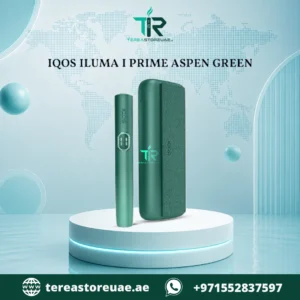
IQOS ILUMA i Prime Aspen Green
Green and other deeper colours can fade if left in strong sunlight for long periods. Store the device in its case and away from windows.
Buy IQOS ILUMA i Prime Aspen Green →
IQOS ILUMA i Prime Breeze Blue
Lighter and cooler tones can pick up colour transfer from dark clothing, bags and jeans. Keep the device in the case when carrying it with dark fabrics.
Buy IQOS ILUMA i Prime Breeze Blue →
IQOS ILUMA i Prime Garnet Red
Bold colours stand out, which also means marks stand out. Avoid contact with ink, makeup and oils, and wipe spills quickly and gently.
Buy IQOS ILUMA i Prime Garnet Red →
Weekly and Monthly Care Checklist
Print or save this checklist so you never forget the essentials.
Daily
- Wipe exterior with a dry cloth.
- Check the stick opening for crumbs or lint.
- Remove used sticks promptly.
- Return the device to its case.
Weekly
- Wipe the case or pouch.
- Lightly clean the cover if marked.
- Check the magnetic closure for debris.
- Make sure the charging cable is not frayed.
Monthly
- Check the USB-C port for lint.
- Review battery performance. Is it holding charge as well as it used to?
- Inspect the cover for wear, peeling or fraying.
- Check that your stick packs are stored in a cool, dry place.
Shop IQOS ILUMA i Prime in Dubai →
Common Problems and Simple Fixes
Even with good care, small issues can appear. Try these simple checks before contacting support.
| Problem | Likely cause | What to try |
|---|---|---|
| Device does not detect the stick | Debris in the opening, wrong or damaged stick | Remove the stick, clear the opening gently with a dry swab, try a fresh genuine TEREA stick |
| Device will not charge | Dirty port, faulty cable or adapter | Clear the port, try a different USB-C cable and adapter, try a different wall socket |
| Battery drains quickly | Age, heat exposure, heavy use | Avoid heat, charge in smaller top-ups, check how long you have owned the device |
| Device feels too warm | Charging in a hot place, heavy use, blocked ventilation | Stop use, let it cool at room temperature, move to a cooler spot |
| Cap or closure feels loose | Dust or debris on magnetic parts | Wipe the closure with a dry cloth and check for debris |
| Sticky or dirty surface | Oils, sugary spills, lotion | Wipe with a lightly damp cloth, then a dry one |
| Stick feels hard to insert | Bent stick, debris, forced angle | Stop, remove, inspect the stick, check the opening |
| Device does not respond at all | Flat battery, fault | Charge for a longer period, then follow the reset steps in the official user guide |
What to do if the device gets wet
- Remove any stick and unplug any cable immediately.
- Dry the exterior with a soft cloth.
- Leave it in a dry, ventilated place, away from direct heat, for at least 24 hours.
- Do not try to charge or use it until it is completely dry.
- If it behaves strangely afterwards, contact the retailer or manufacturer.
Shop IQOS ILUMA i Prime in Dubai →
What to do if you drop it
Inspect the device for cracks, dents, loose parts or a deformed opening. If anything looks damaged, or the device behaves oddly, stop using it and seek advice. Do not continue to use a device that looks swollen, hot or cracked.
12 Mistakes That Shorten the Life of an ILUMA i Prime
- Using it with non-TEREA sticks or older HEETS.
- Forcing sticks into the opening.
- Leaving the device in a hot car.
- Charging under a pillow or on a bed.
- Using cheap, unbranded chargers.
- Cleaning with alcohol sprays, bleach or solvents.
- Getting the device wet or washing it under a tap.
- Dropping it onto hard floors.
- Carrying it loose with keys and coins.
- Letting lint and sand build up in the opening and port.
- Opening the casing or trying DIY battery repairs.
- Ignoring early warning signs like heat, swelling or odd smells.
Shop IQOS ILUMA i Prime in Dubai →
When to Replace or Get Professional Help
No device lasts forever, and you should know when care is no longer enough.
Contact support or consider replacement if:
- The battery barely lasts a single session even after full charging.
- The casing is swollen, cracked or damaged.
- The device overheats during normal use or charging.
- The device repeatedly fails to detect genuine sticks despite cleaning.
- It has been dropped or exposed to water and no longer works properly.
- You notice a persistent burning or chemical smell.
Do not attempt to repair the device yourself. Internal parts are not designed to be user-serviceable, and opening the casing may affect any warranty. For warranty terms and official service, follow the guidance in your device box and the manufacturer’s documentation.
Buying a Genuine ILUMA i Prime in Dubai
Good care starts with a genuine device. When buying an IQOS ILUMA i Prime in Dubai or anywhere in the UAE, look for:
- A clear product listing that names the model and colour.
- Original sealed packaging with all accessories included.
- Clear information on delivery and support. TEREA Store UAE lists delivery coverage across Dubai, Abu Dhabi, Sharjah, Ajman, Ras Al Khaimah, Fujairah, Umm Al Quwain and Al Ain.
- Clear compatibility information so you know which sticks work with your device.
Other ILUMA models you can compare
If you are still deciding which device suits you, compare the other models in the range:
- IQOS ILUMA i One in Dubai → for a compact, simple everyday device
- IQOS ILUMA i Standard in Dubai → for a smart, well-rounded option
- IQOS ILUMA Limited Edition in Dubai → for exclusive collections
More related products
- IQOS BONDS UAE →
- JUUL Pods Dubai →
- JUUL 2 Kits in Dubai UAE →
- JUUL 2 Pods in Dubai UAE →
- Disposable Vape in UAE →
- Nicotine Pouches Dubai →
Keep reading on the blog
- How to Use Nicotine Pouches: Step-by-Step Guide →
- Nicotine Pouches vs Vaping: Which Is Better? →
- Where to Buy Nicotine Pouches or Snus in Dubai →
- Visit the Terea Store UAE Blog →

Frequently Asked Questions About Caring for the IQOS ILUMA i Prime
How do I clean my IQOS ILUMA i Prime?
Wipe the exterior with a soft, dry microfibre cloth, clear the stick opening gently with a dry cotton swab, and use a very lightly dampened cloth only for stubborn exterior marks. Never submerge the device or use harsh chemicals.
Do I need to clean a heating blade on the ILUMA i Prime?
No. The ILUMA range is blade-free and uses induction heating, so there is no heating blade to scrub. Your care focuses on the surface, the stick opening, the charging port and the battery.
How often should I clean my ILUMA i Prime?
A quick dry wipe and a look at the stick opening each day is enough for most users. Do a slightly deeper check weekly and inspect the USB-C port every few weeks.
Can I use alcohol wipes or disinfectant on my device?
It is safer to avoid liquid cleaners, sprays and alcohol-based products on the device, because they can damage the finish or enter the device. Stick to a dry cloth, and a barely damp cloth with plain water if needed. Check the official user guide for the manufacturer’s advice.
How should I charge my ILUMA i Prime?
Use the supplied USB-C cable or a reputable replacement and a good-quality adapter. Charge in a cool, dry, ventilated place, avoid charging in direct sun or inside a hot car, and unplug once fully charged.
Is it bad to leave my device charging overnight?
Occasionally it is generally fine with a quality charger, but regular long charging keeps the battery warm and can wear it faster. It is better to unplug when full and to avoid charging on soft surfaces like beds and sofas.
Why is my ILUMA i Prime not detecting the TEREA stick?
The most common causes are crumbs or lint in the opening, a damaged or wet stick, or a stick that is not fully inserted. Remove the stick, clear the opening gently, try a fresh genuine TEREA stick and insert it carefully.
Can I use HEETS sticks in the ILUMA i Prime?
No. HEETS sticks are not compatible with ILUMA devices. ILUMA devices are designed to work with TEREA sticks only.
How do I protect my ILUMA i Prime from the heat in Dubai?
Never leave it in a parked car, on a dashboard or in direct sun. Keep it in its case, in a cool indoor spot, and avoid charging it in hot places.
What should I do if my ILUMA i Prime gets wet?
Remove any stick, unplug the charger, dry the exterior and leave the device in a dry, ventilated place for at least a day before attempting to use or charge it. If it behaves abnormally afterwards, contact support.
How long does an ILUMA i Prime last?
Lifespan depends on how you use, charge and store it. Devices that are kept dry, cool, clean and charged sensibly generally perform reliably for longer than those exposed to heat, moisture and impacts.
Where can I buy a genuine ILUMA i Prime in the UAE?
You can browse genuine IQOS ILUMA i Prime devices and compatible TEREA sticks at Terea Store UAE, with delivery across Dubai and other emirates.
Shop IQOS ILUMA i Prime in Dubai →
Final Thoughts: Simple Habits Keep Your ILUMA i Prime Working Like New
Learning how to care for your IQOS ILUMA i Prime does not take much time. Because the ILUMA system is blade-free, the heavy cleaning routines of older models are gone. What remains is common sense: keep it dry, wipe it gently, clear the stick opening, charge it sensibly, protect it from the UAE heat, and use only genuine TEREA sticks. Follow these habits and your premium device should stay reliable, clean and good-looking for a long time.
Ready to explore the range or find the right accessories and sticks?