

How to Clean IQOS ILUMA Device: Complete Step-by-Step Guide

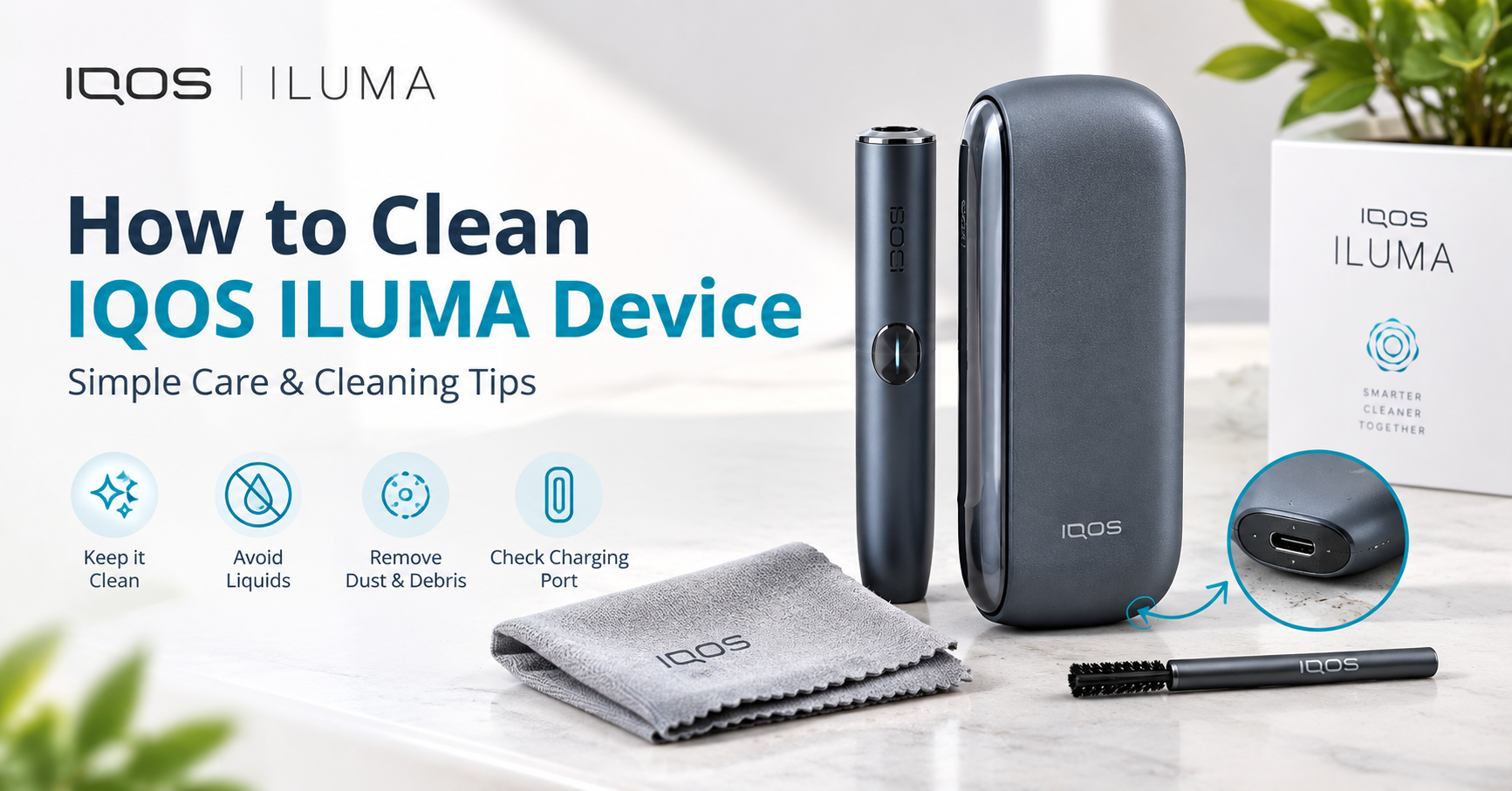
To clean an IQOS ILUMA device, switch it off, let it cool, remove the used TEREA stick, and gently clear loose tobacco crumbs from the heating chamber with a soft dry brush or a dry cotton swab. Wipe the outside with a slightly damp, lint-free cloth, let everything dry completely, then reassemble. Never use water inside the chamber, sharp tools, or harsh chemicals.
Cleaning is simpler on the IQOS ILUMA than on older IQOS models, because ILUMA uses bladeless induction heating. But “simpler” does not mean “never”. Tobacco crumbs, dust and pocket lint still collect over time, and a little regular care keeps the device heating evenly and lasting longer.
This guide explains exactly how to clean your ILUMA at home, how often to do it, which tools are safe, which mistakes to avoid, and how to fix common problems that dirt can cause. Whether you own an ILUMA ONE, ILUMA PRIME or ILUMA i Standard, you will find clear steps below.
Key Takeaways
- ILUMA has no heating blade, so there is no blade to scrub. Cleaning focuses on crumbs, dust and the outer body.
- Always turn the device off and let it cool before you clean it.
- Use dry, soft tools such as a small brush, a dry cotton swab and a lint-free cloth.
- Never immerse the device in water or spray liquid into the chamber.
- A quick wipe every few days and a fuller clean about once a week suits most daily users.
- Only TEREA sticks work with ILUMA. Forcing any other stick in can leave residue and damage the device.
Table of Contents
- What Makes IQOS ILUMA Different to Clean?
- Why Should You Clean Your IQOS ILUMA?
- What You Need Before You Start
- How to Clean IQOS ILUMA Device: 7 Simple Steps
- How Often Should You Clean IQOS ILUMA?
- Cleaning Notes for Each ILUMA Model
- Common Cleaning Mistakes to Avoid
- Troubleshooting: Problems Caused by a Dirty Device
- Daily Habits That Keep Your ILUMA Cleaner for Longer
- When Should You Replace Your Device?
- Choose Your Next IQOS ILUMA
- Pair Your Device with the Right TEREA Sticks
- FAQs
What Makes IQOS ILUMA Different to Clean?
Earlier IQOS generations heated tobacco with a thin ceramic blade that pushed into the stick. Over time, sticky tobacco residue built up around that blade, so users had to clean it with cleaning sticks and take care not to snap it. A broken blade often meant a repair or a replacement.
The IQOS ILUMA works differently. It uses an induction heating system that warms the tobacco from within the stick itself, using a metal element that is built into the TEREA stick rather than a blade that lives in the device. Because nothing is inserted into the tobacco, the most common source of residue is largely gone.
What does that mean for you?
- Less residue. You will not see the same sticky build-up that older models had.
- No blade to break. You do not need to worry about damaging a fragile part while cleaning.
- Lighter maintenance. A soft brush and a dry cloth handle most jobs.
Even so, small tobacco particles can shake loose from a TEREA stick and fall into the holder, and everyday carrying puts dust and lint on the surface. That is why a simple cleaning routine still matters.

Why Should You Clean Your IQOS ILUMA?
Regular cleaning is not only about appearance. A clean device gives you several practical benefits.
1. More consistent performance
Crumbs and dust in the chamber can affect how a stick sits and how evenly it heats. A clean chamber helps every session feel the same as the first.
2. Better taste
Old particles can carry stale flavours from previous sticks. Removing them helps the flavour of each new TEREA stick come through as intended.
3. Longer device life
Built-up debris can hold moisture and encourage wear on contact points and connectors. Keeping the device tidy reduces the chance of avoidable faults.
4. Hygiene
The holder goes to your mouth many times a day. Wiping the outside and keeping the mouthpiece area clean is simply good hygiene.
5. Fewer troubleshooting headaches
Many “my device is not working” problems, such as a stick that will not seat properly or a charging connection that seems loose, come down to dirt. A five-minute clean often solves them.
What You Need Before You Start
You do not need a special toolkit. Gather these simple items first.
| Item | What it is used for |
|---|---|
| Soft, dry brush (small, clean, non-metal bristles) | Sweeping loose tobacco crumbs out of the chamber |
| Dry cotton swabs | Reaching small edges and corners |
| Lint-free microfibre cloth | Wiping the outer body |
| A very slightly damp cloth (water only) | Removing fingerprints and marks from the outside |
| Dry paper towel or clean tissue | Catching crumbs and drying parts |
| Good lighting | Seeing small particles clearly |
Avoid: sharp objects such as pins, needles or knives; metal picks; compressed air blasted at close range; cleaning fluids, bleach or strong solvents; and soaking the device in any liquid.
If your ILUMA came with a cleaning accessory in the box, or if the official user manual for your exact model lists a recommended tool, follow that guidance first, since designs vary slightly between models and editions.
How to Clean IQOS ILUMA Device: 7 Simple Steps
Follow these steps in order. The whole process takes about five to ten minutes.
Step 1: Turn the device off and let it cool
Make sure your ILUMA is switched off and has completely cooled down. If you have just finished a session, wait a few minutes. Cleaning a warm device is uncomfortable and can push residue deeper.
Step 2: Remove the used TEREA stick
Take out the used stick and dispose of it responsibly. Never clean the device with a stick still inside.
Step 3: Detach removable parts (if your model has them)
Some ILUMA models have a cap, lid or door over the chamber, or separate pieces that come away for easy access. If your model has removable parts, take them off gently, following the instructions in your official manual. Do not force anything. If a part does not come away easily, it is not meant to.
Step 4: Tap out loose crumbs
Hold the holder with the opening pointing down over a paper towel and give it a light tap. Loose tobacco particles will fall out. This alone removes most of the debris.
Step 5: Brush the chamber gently
Use your soft dry brush to sweep the inside of the chamber in short, gentle strokes. Work from the inside towards the opening so that crumbs move out rather than deeper in. For tight corners and edges, use a dry cotton swab. Never press hard and never push anything sharp inside.
Step 6: Wipe the outside
Lightly dampen a lint-free cloth with plain water, wring it out well, and wipe the outside of the holder and any removable cap. Pay attention to the mouthpiece area and the places your fingers touch most. Follow with a dry cloth. The cloth should be barely damp, never wet.
Step 7: Dry fully and reassemble
Let all parts air-dry for several minutes. Any moisture near the chamber or the charging contacts can cause problems, so be patient. Once everything is completely dry, put the parts back together and check that they click or fit securely.
How Often Should You Clean IQOS ILUMA?
There is no single rule, because it depends on how much you use the device and where you carry it. The table below is a practical guide for typical daily use.
| Task | Suggested frequency |
|---|---|
| Tap out loose crumbs | After each session, or at least once a day |
| Wipe the outside with a dry cloth | Every few days |
| Brush the chamber gently | About once a week |
| Full clean (Steps 1 to 7) | Every one to two weeks, or when you notice residue |
| Deep visual check of the chamber and charging contacts | Once a month |
Clean sooner if you notice any of these signs:
- Visible crumbs or dust in the chamber
- A stick that does not sit smoothly
- A change in taste that is not related to the flavour you are using
- Marks, stickiness or a film on the mouthpiece area
- Lint collected around the charging connection
If you carry your ILUMA loose in a pocket or bag, plan on cleaning a little more often, since lint and dust will find their way in.
Cleaning Notes for Each ILUMA Model
The core method is the same across the range, but each model has small differences worth knowing. You can compare all the current models in the IQOS ILUMA collection in Dubai.
IQOS ILUMA ONE
The ILUMA ONE is the compact, all-in-one design. Because it does not use a separate charging case, there are fewer parts to clean. Focus on the chamber opening, the mouthpiece area and the outer body, which tends to pick up fingerprints and pocket lint quickly. Browse the IQOS ILUMA i ONE range in Dubai to see the available colours.
IQOS ILUMA PRIME
ILUMA PRIME pairs a holder with a pocket charger. Clean the holder using the steps above, and also wipe the inside of the pocket charger with a dry cloth or cotton swab, because crumbs and lint gather in the charging slot. Explore the IQOS ILUMA i PRIME range in Dubai for current shades.
IQOS ILUMA i Standard
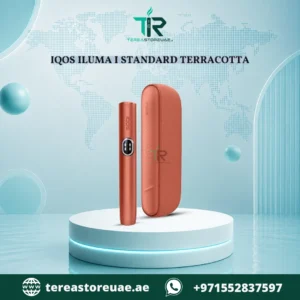
The ILUMA i Standard also uses the holder and pocket charger system. Give the charger slot the same attention as the holder, and make sure the contact points are dry and free of debris before you dock the holder. See the IQOS ILUMA i Standard range in Dubai.
Limited Edition ILUMA Devices
Limited editions such as Remix and Stardrift often have special finishes. Use only a soft, lint-free cloth on the outside, avoid anything abrasive, and keep liquids to an absolute minimum so the coating stays looking its best. See the full IQOS ILUMA limited edition collection in Dubai.
Common Cleaning Mistakes to Avoid
A few well-meant habits can do more harm than good.
Using water inside the device
Water in the chamber or near the electronics can cause faults. Keep liquids on the outside only, and use them sparingly.
Using sharp or metal tools
Pins, paper clips and knives can scratch the chamber and damage internal parts. Stick to soft brushes and cotton swabs.
Using harsh cleaners
Bleach, strong disinfectants and solvents can damage plastics and coatings and leave residues you do not want near your mouth.
Cleaning while the device is hot or charging
Always switch off, unplug and cool the device first.
Forcing parts open
If a cap or lid does not come off easily, stop. Check your manual rather than pulling harder.
Reassembling while damp
Trapped moisture is one of the most common causes of avoidable problems. Always let everything dry first.
Using the wrong sticks
ILUMA is designed for TEREA sticks only. Older HEETS sticks are not compatible, and forcing them in can leave debris and may cause permanent damage.
Ignoring the pocket charger
Many people clean the holder but forget the charger. Crumbs and lint in the charging slot can affect how well the holder connects.
Troubleshooting: Problems Caused by a Dirty Device
Before you assume something is broken, check whether dirt could be the cause.
| Problem | Likely cause | What to try |
|---|---|---|
| Stick does not seat properly | Crumbs or debris in the chamber | Tap out and gently brush the chamber |
| Flavour tastes stale or “off” | Old residue or particles | Do a full clean; check that you are using fresh sticks |
| Holder does not charge well | Lint or dust in the charger slot or on contacts | Dry-clean the contacts with a cotton swab; confirm they are dry |
| Device feels sticky | Fingerprints, residue or spills | Wipe with a barely damp cloth, then dry |
| Heating seems slow or inconsistent | Dirt, a low battery or a faulty stick | Clean, fully charge, and try a different stick |
| Cap or door does not close cleanly | Debris in the hinge or seat | Brush the area gently and re-seat the part |
If the problem continues after a clean and a full charge, the issue is probably not dirt. In that case, check your warranty and contact the seller for support.
Daily Habits That Keep Your ILUMA Cleaner for Longer
Prevention beats deep cleaning. These small habits make a real difference.
1. Tap out crumbs after every session. A quick tap after you remove the used stick stops debris from settling.
2. Handle sticks carefully. Insert TEREA sticks straight and gently. A stick pushed in at an angle sheds more tobacco.
3. Keep the device out of loose pockets and bags. Use a case or a dedicated pocket so lint and dust cannot creep in.
4. Store it dry and cool. Avoid leaving it in a hot car or in damp places. Heat and humidity are not friendly to devices or sticks.
5. Wash your hands before you handle the device. It keeps the outside cleaner and helps reduce residue on the mouthpiece.
6. Give it a look once a week. Shine a light into the chamber and check the charging contacts. Catching build-up early makes cleaning quick.
7. Charge on a clean, dry surface. This keeps dust and moisture away from the contacts.
8. Buy authentic sticks and devices. Genuine TEREA sticks are made to fit ILUMA precisely, which helps reduce loose particles and poor fits.
IQOS ILUMA vs Older IQOS: Cleaning Compared
If you are upgrading from an older IQOS model, it helps to know what changes in your routine. The table below shows the main differences at a glance.
| Cleaning factor | Older blade-based IQOS | IQOS ILUMA |
|---|---|---|
| Heating method | Ceramic blade inside the device | Induction heating, no blade |
| Main source of residue | Sticky tobacco on the blade | Loose crumbs and dust in the chamber |
| Risk of breaking a part while cleaning | Higher, because the blade is fragile | Much lower, since there is no blade |
| Typical tools | Cleaning sticks and swabs | Soft dry brush, dry swabs, lint-free cloth |
| Effort per clean | Moderate | Light |
| Compatible sticks | HEETS | TEREA only |
The takeaway is simple. ILUMA removes the hardest and riskiest part of cleaning, but it does not remove the need for basic care. A short routine done regularly will always beat a long, rough clean done once in a while.
A simple weekly routine you can copy
Many ILUMA owners find it easiest to attach cleaning to something they already do. Here is a routine that takes under ten minutes in total.
- Every evening: tap out crumbs and give the outside a quick dry wipe.
- Once a week: run through the full seven steps above, including the pocket charger slot if your model has one.
- Once a month: hold the device under a bright light, look into the chamber, and check that the charging contacts are clean and dry.
If you use your device heavily, or you live somewhere dusty, simply shorten the gaps between these checks. Consistency matters far more than perfection, and a device that gets a little attention often will feel and perform better than one that is only cleaned when something goes wrong.
When Should You Replace Your Device?
Cleaning fixes most everyday problems, but no device lasts forever. Consider replacing your ILUMA if:
- It still heats poorly after a proper clean and a full charge
- The battery drains far faster than it used to
- The holder no longer connects reliably to its charger
- There is visible physical damage such as cracks or a loose chamber
- Cleaning no longer restores normal performance
If you decide it is time for an upgrade, a fresh device is a straightforward fix. The IQOS ILUMA collection at Terea Store UAE includes ILUMA ONE, PRIME, i Standard and limited edition options, and every device is checked for authenticity before dispatch.
Choose Your Next IQOS ILUMA
Whether you are replacing an old device or buying your first, here are the current ILUMA models available at Terea Store UAE. Prices and stock can change, so always check the live product page.
IQOS ILUMA ONE (Compact, All-in-One)
A pocket-friendly, easy-to-clean choice, ideal for beginners.
See everything in the ILUMA ONE category.
IQOS ILUMA PRIME (Premium Holder and Pocket Charger)
A premium build for users who want a more refined feel and multiple sessions on the go.
See everything in the ILUMA PRIME category.
IQOS ILUMA i Standard (Holder and Pocket Charger)
The balanced all-rounder in a wide range of colours.
See everything in the ILUMA i Standard category.
Limited Edition IQOS ILUMA
Collector-style finishes in small quantities.
See everything in the limited edition category.
Pair Your Device with the Right TEREA Sticks
A clean device deserves good sticks. Because ILUMA only works with TEREA, the batch you choose shapes your experience. Terea Store UAE stocks TEREA from several regions, each with its own character:
- TEREA Uzbekistan in Dubai
- TEREA Italy in Dubai
- TEREA Japan in Dubai
- TEREA Indonesian in Dubai
- TEREA Kyrgyzstan in Dubai
- TEREA Swiss in Dubai
You can also see the whole TEREA range in Dubai in one place. Two popular sticks used with ILUMA devices are Terea Ruby Regular for IQOS ILUMA and Terea Purple Wave Kyrgyzstan.
Frequently Asked Questions
How do I clean my IQOS ILUMA device?
Switch the device off, let it cool, remove the used stick, tap out loose crumbs, and gently brush the chamber with a soft dry brush or dry cotton swab. Wipe the outside with a barely damp lint-free cloth, let everything dry completely, and reassemble. Never put water or liquid inside the chamber.
Does IQOS ILUMA need to be cleaned?
Yes, although far less than older models. ILUMA has no heating blade, so it avoids the sticky build-up that used to be the biggest chore. Crumbs, dust and lint still collect over time, so light regular cleaning helps keep the device performing well.
How often should I clean my IQOS ILUMA?
For most daily users, tap out crumbs after each session, wipe the exterior every few days, and do a fuller clean every one to two weeks. Clean sooner if you see debris, taste stale flavour, or notice that sticks do not seat smoothly.
Can I use water to clean IQOS ILUMA?
Only on the outside, and only with a barely damp cloth. Do not pour or spray water into the chamber, do not immerse the device, and always dry every part fully before reassembling.
Can I use alcohol wipes on my ILUMA?
It is safest to follow the guidance in your official user manual. Harsh liquids can damage coatings and plastics and can leave residue near the mouthpiece. A soft dry brush and a lightly damp cloth are the gentlest, safest options for routine cleaning.
What tool is best for cleaning the ILUMA chamber?
A small soft brush and dry cotton swabs are best. They remove crumbs without scratching the chamber. Avoid pins, needles, knives and other sharp or metal objects.
Do I need to clean the pocket charger too?
Yes, for models that use one, such as ILUMA PRIME and ILUMA i Standard. Wipe the charger slot with a dry cloth or cotton swab to clear crumbs and lint, and make sure the contacts are dry before docking the holder.
Why does my IQOS ILUMA taste different or burnt?
Stale particles in the chamber, a low battery or an old or poorly stored stick can all change the taste. Clean the device, charge it fully and try a fresh TEREA stick. If the problem continues, the device may need servicing or replacing.
Why won’t my TEREA stick fit properly?
Debris in the chamber is a common cause. Tap out crumbs and brush the chamber gently. Also make sure you are using a genuine TEREA stick. HEETS and other formats are not compatible with ILUMA.
Can I use older HEETS sticks in IQOS ILUMA?
No. ILUMA is built for TEREA sticks only. Forcing HEETS into the device will not work and may cause permanent damage.
What is the best ILUMA model for easy maintenance?
The ILUMA ONE is the simplest to look after, since its all-in-one design has fewer parts to clean. The PRIME and i Standard models are just as easy to clean, but you will also want to keep the pocket charger tidy.
Where can I buy an authentic IQOS ILUMA in Dubai?
Terea Store UAE sells authentic IQOS ILUMA devices with delivery across Dubai and the UAE, and each device is checked before dispatch. Browse the IQOS ILUMA in Dubai collection to see current models, colours and prices.
Final Thoughts
Learning how to clean an IQOS ILUMA device takes only a few minutes and pays off every day. Because ILUMA uses bladeless induction heating, your routine is lighter than it ever was on older IQOS models: tap out crumbs, brush gently, wipe the outside, keep everything dry, and give the pocket charger some attention too.
Keep these principles in mind:
- Switch off and cool the device before cleaning
- Use soft, dry tools and only a barely damp cloth on the outside
- Never use sharp objects, harsh chemicals or soaking
- Clean little and often rather than rarely and roughly
- Use only genuine TEREA sticks