

IQOS ILUMA i Prime Review – Unboxing to Troubleshooting Guide

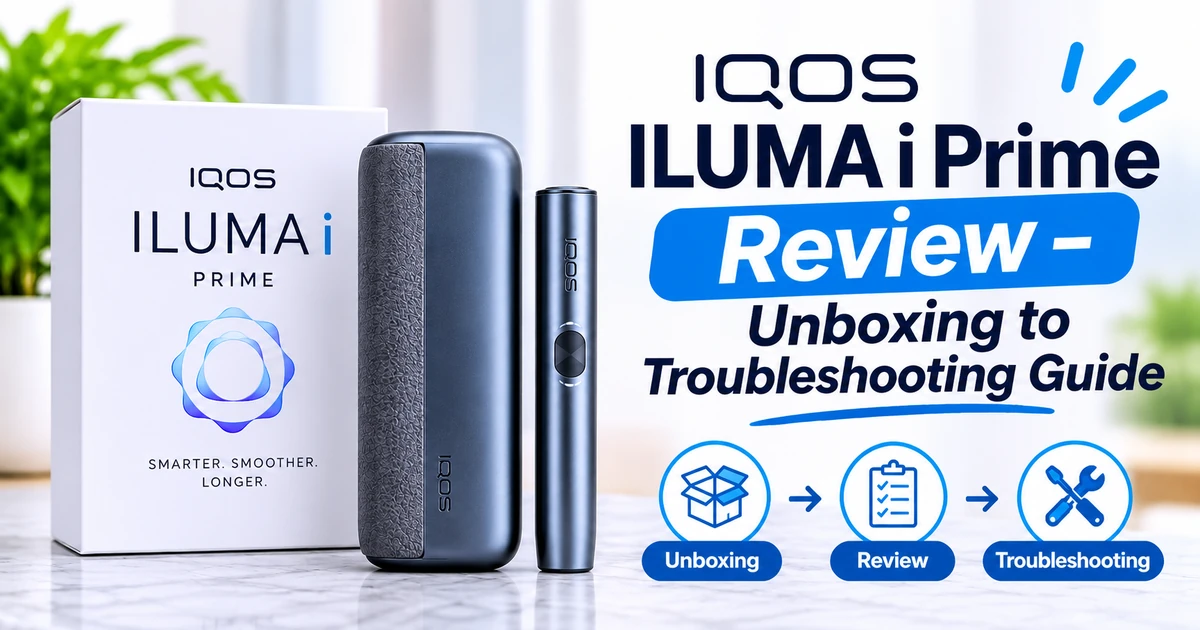
IQOS ILUMA i Prime Review – Unboxing to Troubleshooting Guide: If you want to buy the IQOS ILUMA i Prime in Dubai, UAE, you probably have the same questions most adult IQOS users have. What do you get in the box? How hard is it to set up? How does it feel day to day? What do you do if something goes wrong? This guide follows the whole journey, from opening the box to fixing common problems, so you can decide with confidence.
Every product link below goes to a live page on Terea Store UAE, so you can check current stock and prices as you read.
Is the IQOS ILUMA i Prime Worth Buying?
Yes, if you want the premium device in the ILUMA range. The ILUMA i Prime uses the SMARTCORE Induction System, which heats the TEREA stick from the inside and removes the heating blade found on older IQOS models. That means no blade to clean, a consistent session, and a more refined build than the other ILUMA models.
It may not be the right choice if you mainly care about price. The Standard and ONE models use the same induction idea for less money. The Prime is for people who value design, feel and presentation.
View all IQOS ILUMA i Prime colours in Dubai →
IQOS ILUMA i Prime at a Glance
| Detail | Summary |
|---|---|
| Device type | Heated tobacco device |
| Heating technology | SMARTCORE Induction System, blade-free |
| Compatible sticks | TEREA only (not HEETS) |
| Cleaning | No heating-blade cleaning needed |
| Charging | USB-C |
| Start method | Auto-start once a compatible stick is inserted |
| Design | Premium finish, fabric-style wrap, magnetic case |
| Listed price at Terea Store UAE (1 Nov 2026) | AED 340 to AED 480, depending on colour or edition |
| Best for | Adult users who want the flagship ILUMA experience |
Part 1: Unboxing the IQOS ILUMA i Prime
The first impression matters with a premium device, and this is where the Prime tries to stand out. Packaging details can change by market and edition, so treat the list below as a general guide and check your own pack.
What you can usually expect in the box
- The holder, which is the part you insert the TEREA stick into
- The pocket charger, which stores and recharges the holder
- A USB-C charging cable
- Quick-start and safety information
First look and feel
According to the product page, the Prime has a premium wrapped exterior, an ergonomic shape that sits comfortably in the hand, and a magnetic case that holds the device securely. The point of the Prime is that it feels like a finished, high-end accessory rather than a plain gadget.
When you unbox it, check these things straight away:
- The packaging is sealed and intact and matches the model you ordered.
- The colour matches your order, for example Aspen Green, Breeze Blue, Garnet Red or Midnight Black.
- There are no visible dents, scratches or loose parts on the holder or pocket charger.
- The charging cable and documents are included.
If anything looks wrong, contact the store before you use the device. Terea Store UAE has a contact page for support.
Part 2: First Setup and Charging
Setting up the ILUMA i Prime is simple. The main rule is to charge it before the first use.
Step-by-step first setup
- Charge both parts. Connect the pocket charger to a power source with the USB-C cable. Use the supplied cable or a trusted compatible one. Avoid uncertified chargers.
- Insert the holder into the pocket charger so that it charges as well.
- Wait until the device shows it is ready. Follow the on-device indicators and the quick-start guide for your model.
- Read the safety information. TEREA sticks contain a small metal heating element, so keep them away from children and pets.
Charging tips
- Put the holder back into the pocket charger after use, so it is ready for your next session.
- Keep charging contacts clean and dry.
- Avoid leaving the device in a hot car or in direct sun.
- Do not charge a device that looks damaged or wet.
For a practical routine, read our guide on how to keep your IQOS ILUMA i Prime ready for daily use.
Part 3: How the IQOS ILUMA i Prime Works
The ILUMA i Prime is different from older IQOS devices. Earlier models used a heating blade that entered the tobacco. The ILUMA range uses induction heating instead. Each TEREA stick has a small metal element inside it, and the device heats that element directly. No blade touches the tobacco.
Why that matters
- No blade to clean. Residue could build up on the old blade, so older devices needed regular cleaning.
- More consistent heating. Heating from inside the stick helps give a steadier session.
- Less mess. Heating tobacco instead of burning it means no ash.
This is also why ILUMA devices work only with TEREA sticks. HEETS sticks are made for older IQOS models and do not work with any ILUMA device.
Part 4: Your First Session, Step by Step
Here is the basic routine for using the ILUMA i Prime.
- Make sure the device is charged.
- Take out a TEREA stick from its pack. Do not pull it apart.
- Insert the stick gently into the holder, lining it up properly. Never force it.
- Let the device recognise the stick. With auto-start, heating begins once a compatible stick is inserted and the holder is ready.
- Wait for the ready signal. The device alerts you when it is ready to use.
- Enjoy your session within the time and puff limits the device allows.
- Remove the used stick carefully and dispose of it responsibly. Never reuse a stick.
- Return the holder to the pocket charger so it recharges.
If your model supports Pause Mode, you can pause a session for a short time and come back to it. Follow the prompts on the device.
Part 5: Everyday Use, Design and Features
Design and build
The Prime is the flagship model, and the build shows it. The product page highlights a premium wrapped finish, a compact hand-contoured shape and a magnetic case. It is easy to carry in a bag or pocket and looks at home in an office or a social setting.
Key features at a glance
- SMARTCORE Induction System with blade-free heating
- Auto-start, so you do not need to press a power button
- Fast charging to cut waiting time between sessions
- Upgraded battery management for reliable daily use
- USB-C charging with a common cable
- Low maintenance, since there is no blade to clean
- Magnetic storage case for secure carrying
Real-world strengths
- Simple routine. Insert, wait, use, remove, recharge.
- No daily blade cleaning. You still need to keep the device dry and tidy, but the old cleaning ritual is gone.
- A premium feel. The Prime is the model to pick if you will handle the device many times a day and want it to feel good.
Real-world limits
- TEREA only. You cannot use HEETS or other sticks.
- Charging is part of life. Like any rechargeable device, you must keep it topped up.
- Higher price. You are paying for the premium finish.
Part 6: TEREA Sticks – What to Use With Your Prime
The device is only half of the experience. The TEREA stick shapes the taste. Terea Store UAE organises TEREA sticks into regional collections so you can browse by origin.
Shop all TEREA sticks in Dubai →
Regional collections:
Popular TEREA flavour styles
The store describes a range of tobacco and menthol options. The names below come from the Terea Store UAE Prime page, and availability can change by region and stock.
- Amber: a rich tobacco aroma that is distinct but not harsh
- Bronze: a smooth, gentle tobacco profile with a soft finish
- Yellow: a lighter tobacco base for an easy, mild session
- Silver: a clean, soft tobacco style
- Blue: a cooling mint balanced with tobacco
- Mint: a bright, fresh mint profile
- Purple Wave: a berry-led flavour with a cooling note
- Black Menthol: a strong, icy menthol option
Not sure which regional edition to start with? Our comparison of Terea Italy vs Terea Japan in Dubai can help you narrow it down.
Part 7: IQOS ILUMA i Prime Colours and Prices in Dubai
At the time of writing, Terea Store UAE listed five Prime options, all marked as in stock.
| Option | Listed price (1 Nov 2026) |
|---|---|
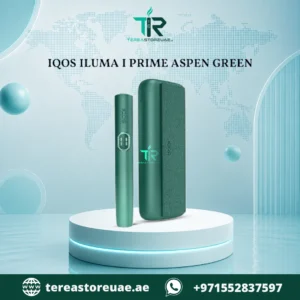
| Prime Aspen Green | AED 340 (was AED 350) |
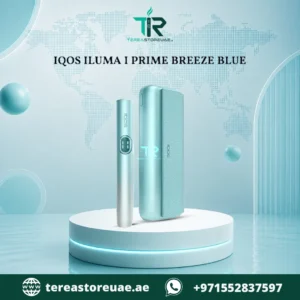
| Prime Breeze Blue | AED 340 (was AED 350) |
| Prime Midnight Black | AED 340 (was AED 350) |
| Prime Garnet Red Purple | AED 390 (was AED 470) |
| Prime Together X | AED 480 (was AED 550) |
Buy IQOS ILUMA i Prime Aspen Green in Dubai →
Buy IQOS ILUMA i Prime Breeze Blue in Dubai UAE →
Buy IQOS ILUMA i Prime Midnight Black in Dubai UAE →
Buy IQOS ILUMA i Prime Garnet Red Purple in Dubai →
Buy IQOS ILUMA i Prime Together X in Dubai UAE →
Which colour should you pick?
- Midnight Black is the safe, understated choice that suits almost any setting.
- Aspen Green and Breeze Blue are fresher, more distinctive options.
- Garnet Red Purple is for people who want a bold device that stands out.
- Together X is the special edition at the top of the price range.
If you love special releases, also browse the IQOS ILUMA Limited Edition collection.
Part 8: ILUMA i Prime vs Standard vs ONE
Terea Store UAE sells three main ILUMA families. Here is how they compare in simple terms.
| Feature | ILUMA i Prime | ILUMA i Standard | ILUMA i ONE |
|---|---|---|---|
| Induction heating | Yes | Yes | Yes |
| TEREA only | Yes | Yes | Yes |
| Positioning | Premium flagship | Balanced all-rounder | Simple and affordable |
| Finish | Most premium | Modern and durable | Compact and basic |
| Best for | Design-focused users | Value seekers | First-time users on a budget |
The core technology is shared. You are mainly choosing between premium feel, balanced value and simplicity.
Browse IQOS ILUMA i Standard →
See the full IQOS ILUMA range in Dubai →
If you are weighing the entry-level model, read How Much Is IQOS ILUMA i ONE in Dubai? for a price breakdown.
Part 9: Pros and Cons
| Pros | Cons |
|---|---|
| Premium look and feel | Higher price than other ILUMA models |
| SMARTCORE induction, no heating blade | Works only with TEREA sticks |
| No blade cleaning | Not compatible with HEETS |
| Auto-start for a simple routine | Needs regular charging |
| USB-C charging | Contains nicotine through compatible sticks |
| Magnetic case and compact shape | Not risk-free and for adults only |
| Several colours and a special edition | TEREA availability can vary by region |
Part 10: Care and Maintenance
Good habits keep any device working for longer. Even with no blade, you should still look after the Prime.
- Keep it dry. Avoid water and heavy moisture.
- Wipe the exterior gently. Use a soft, dry cloth for dust and fingerprints.
- Keep the stick opening free of debris. Remove used sticks properly and do not force anything in.
- Charge sensibly. Use a suitable USB-C cable and avoid extreme temperatures.
- Store it safely. Keep the device and sticks away from children and pets.
For a full walkthrough of cleaning, charging and storage, read How to Care for Your IQOS ILUMA i Prime.

Part 11: Troubleshooting Guide
Most problems with an ILUMA i Prime come down to charging, stick insertion, moisture or a simple glitch. Work through the checks below before assuming the device is faulty. For anything that looks like a real fault, follow the official IQOS guidance for your model and contact the store or the manufacturer’s support.
Problem 1: The device will not turn on or does not respond
Possible causes: low battery, poor charging connection, or a minor software glitch.
What to try:
- Place the holder into the pocket charger and charge for a while.
- Check that the USB-C cable is fully inserted and that the power source works.
- Try a different cable and power adapter.
- Check the charging contacts for dust or moisture, and let the device dry if it is damp.
- If it still does not respond, follow the official reset steps for your model.
Problem 2: The device will not charge
Possible causes: a faulty cable, a weak power source, or dirty contacts.
What to try:
- Swap to another certified USB-C cable.
- Use a different wall adapter or port.
- Clean the contacts gently with a dry cloth.
- Avoid charging in very hot or very cold places.
- If charging still fails, stop using the charger and contact support.
Problem 3: The device does not recognise the TEREA stick
Possible causes: the stick is not fully inserted, the stick is the wrong type, or there is debris in the opening.
What to try:
- Remove the stick and reinsert it gently, making sure it is properly aligned.
- Confirm it is a genuine TEREA stick. HEETS sticks will not work.
- Check the opening for debris and remove it carefully without forcing anything inside.
- Try a fresh stick from a different pack to rule out a faulty stick.
Problem 4: Heating seems slow or inconsistent
Possible causes: low battery, cold surroundings, or a stick that is not seated correctly.
What to try:
- Charge the holder and pocket charger.
- Bring the device to normal room temperature if it has been in a cold or hot place.
- Reinsert the stick and try again.
- If the issue repeats with several sticks, contact support.
Problem 5: The battery drains faster than expected
Possible causes: heavy use, extreme temperatures, or an ageing battery.
What to try:
- Keep the holder in the pocket charger between sessions.
- Avoid leaving the device in a hot car.
- Remember that battery life depends on how often you use it and in what conditions.
- If the battery suddenly drops much faster than before, ask for support.
Problem 6: The holder will not seat or the case will not close properly
Possible causes: debris, a damp device, or a misaligned holder.
What to try:
- Remove the holder and check for dust or lint in the charger.
- Dry the device if it has been exposed to moisture.
- Reinsert the holder slowly and evenly.
Problem 7: Unusual smell, overheating or visible damage
Stop using the device straight away. Do not charge it. Keep it away from flammable items and contact the store or official support. Do not try to open or repair the device yourself.
Quick troubleshooting table
| Symptom | First thing to try |
|---|---|
| No response | Charge, then check the cable and contacts |
| Will not charge | Change cable and power source |
| Stick not recognised | Reinsert, confirm TEREA, check for debris |
| Slow or inconsistent heating | Charge fully and try a fresh stick |
| Fast battery drain | Avoid heat and keep the holder in the charger |
| Smell, heat or damage | Stop using it and contact support |
Who Should Buy the ILUMA i Prime, and Who Should Skip It?
The Prime is a good fit if you:
- Use your device many times a day and want it to feel and look premium in your hand.
- Are upgrading from an older, blade-based IQOS and want the most complete fresh start with the flagship model.
- Want to give a gift to an adult IQOS user. A bold colour such as Garnet Red Purple or Aspen Green makes a stronger impression than a basic model.
- Prefer to buy once and enjoy it, instead of upgrading again later because the device felt too basic.
- Care about presentation. The finish and the magnetic case matter if the device is part of your daily look.
You may prefer another model if you:
- Are on a tight budget. The Standard and ONE give you the same induction idea for less, and the saving can go toward TEREA sticks.
- Are new to heated tobacco and want a lower-cost way to try the ILUMA system before committing to the flagship.
- Want a backup device for the office, car or travel bag. A second device does not need to be premium.
- Do not use nicotine already. These products are not intended for non-users.
Tips to Get the Best Experience From Your Prime
Small habits make a real difference to how the device performs over time.
- Return the holder to the pocket charger after every session. This keeps it ready and avoids the annoyance of a flat battery when you need it.
- Use fresh, properly stored sticks. Keep TEREA packs closed, away from heat and out of direct sun.
- Insert sticks gently. Forcing a stick is the fastest way to cause alignment problems.
- Pick one or two TEREA editions and learn them. Instead of changing flavours constantly, give each regional edition a few sessions so you can judge it fairly.
- Carry the device in its case. The magnetic case protects the finish and keeps the holder secure in a bag.
- Give it a quick weekly check. Wipe the exterior, look at the charging contacts and make sure the stick opening is clear.
- Update your routine for the weather. In Dubai summers, avoid leaving the device in a parked car, because heat is hard on any rechargeable battery.
Part 12: How to Buy an ILUMA i Prime Safely in Dubai
Counterfeit and mislabelled products exist in every market, so buy with care.
Before ordering:
- Confirm you are of legal age to buy tobacco and nicotine products in the UAE.
- Check the exact model name, such as “ILUMA i Prime“, so you do not buy a similar-sounding device.
- Make sure you have TEREA sticks and not HEETS.
- Review the store’s delivery details and contact information.
- Inspect the packaging and the device when it arrives.
- Buy from a reputable seller. Terea Store UAE lists IQOS ILUMA devices and TEREA sticks, accepts card payments, bank transfer and cash on delivery, and shows a free delivery offer on its site. Check the current threshold at checkout.
You can start from the Terea Store UAE homepage or browse the Terea Store UAE blog for more guides.
Frequently Asked Questions about IQOS ILUMA i Prime Review – Unboxing to Troubleshooting Guide
What is the IQOS ILUMA i Prime?
It is the premium heated tobacco device in the ILUMA range. It uses SMARTCORE induction heating, has no heating blade, and works only with TEREA sticks.
How much does the ILUMA i Prime cost in Dubai?
On 1 November 2026, Terea Store UAE listed Prime options from AED 340 to AED 480 depending on colour or edition. Prices can change, so check the Prime collection for the latest figures.
Can I use HEETS with the ILUMA i Prime?
No. HEETS are made for older IQOS devices. ILUMA devices work only with TEREA sticks.
Does the ILUMA i Prime need cleaning?
It does not need the regular blade cleaning that older devices required. You should still keep it dry, remove used sticks properly and follow the manufacturer’s care guidance.
How long does the battery last?
It depends on how often you use it, the temperature and the age of the battery. The device is designed for multiple sessions per charge, but you should not rely on a fixed number. Check the official specifications for your model.
Why will my ILUMA i Prime not turn on?
The most common reasons are a low battery, a poor charging connection or a minor glitch. Try charging with a different cable and power source, check the contacts and follow the official reset steps if needed.
Why does my device not recognise the stick?
Check that the stick is a genuine TEREA stick, that it is inserted fully and gently, and that the opening is free of debris. Try a different stick to rule out a faulty one.
Is the ILUMA i Prime better than the Standard?
It is better in design and finish. The core induction technology is shared, so the Standard can be better value for people who do not need a premium look.
Which colour is best?
There is no single best colour. Midnight Black is the most understated, Aspen Green and Breeze Blue are more distinctive, and Garnet Red Purple and Together X are for people who want something special.
Is the ILUMA i Prime safe?
No tobacco or nicotine product is risk-free. The device heats tobacco rather than burning it, which reduces some combustion-related byproducts, but it still delivers nicotine. It is for adult users who already use tobacco or nicotine products.
Where can I buy the ILUMA i Prime in Dubai?
You can order from Terea Store UAE, which lists the Prime, Standard, ONE and limited edition devices along with TEREA sticks.
Final Verdict
The IQOS ILUMA i Prime is the flagship of the ILUMA family. It combines blade-free induction heating, an easy routine and a premium finish. If you want the nicest device in the range and you are happy to pay for it, it is a strong choice. If you mainly want the induction experience at a lower price, look at the Standard or the ONE.
Whichever you choose, take a few minutes to inspect the box, charge the device properly, use genuine TEREA sticks and follow the troubleshooting steps above if anything seems off.
Buy IQOS ILUMA i Prime in Dubai →
Explore the full IQOS ILUMA range →